













How MSPs Use Connected Hubs to Manage Multi-Client Communication
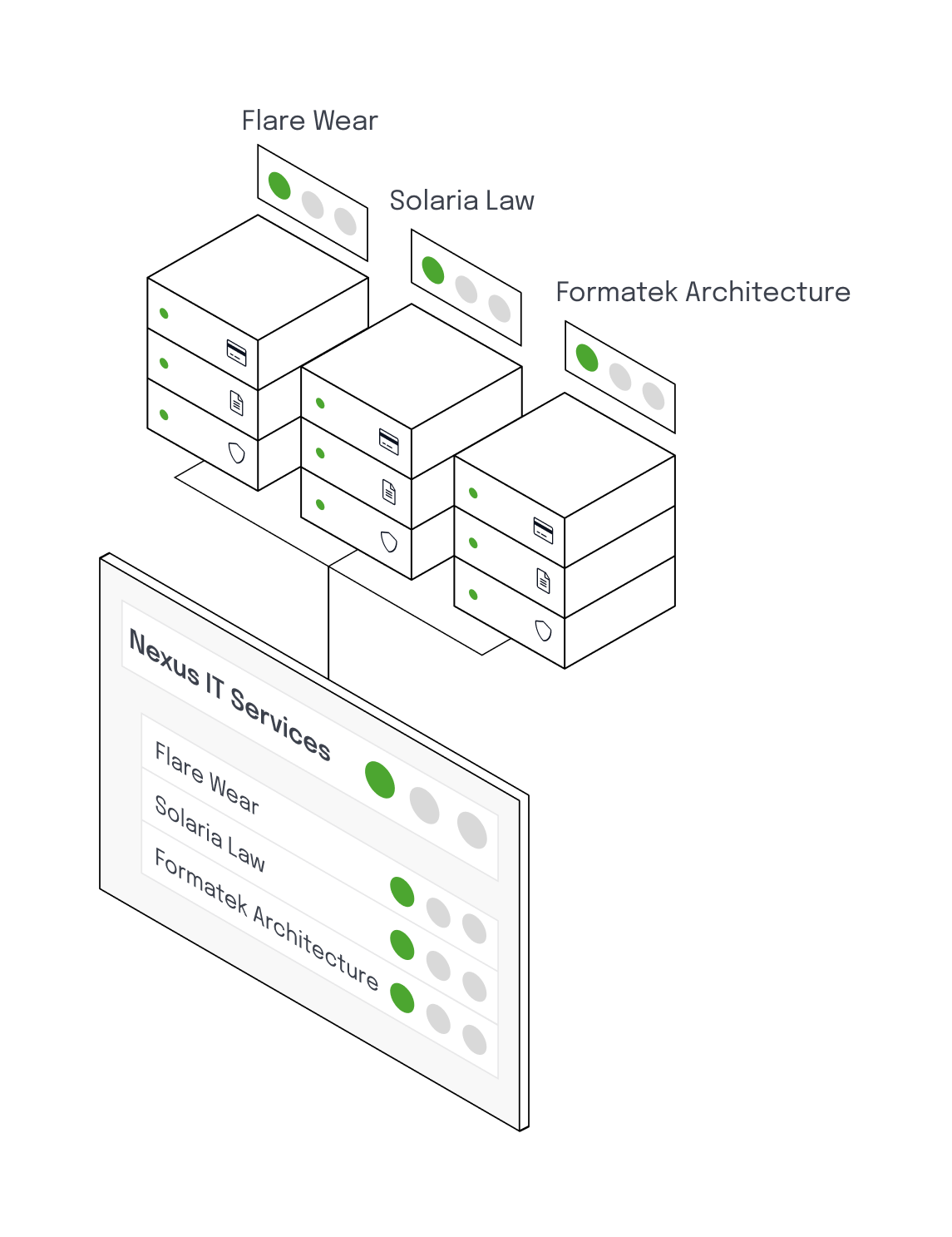
Connected Hubs give MSPs a unified way to manage service status updates for multiple customers without duplicating work or risking miscommunication. Here's how it works in practice:
-
1. Your Home page: One Dashboard for All Clients
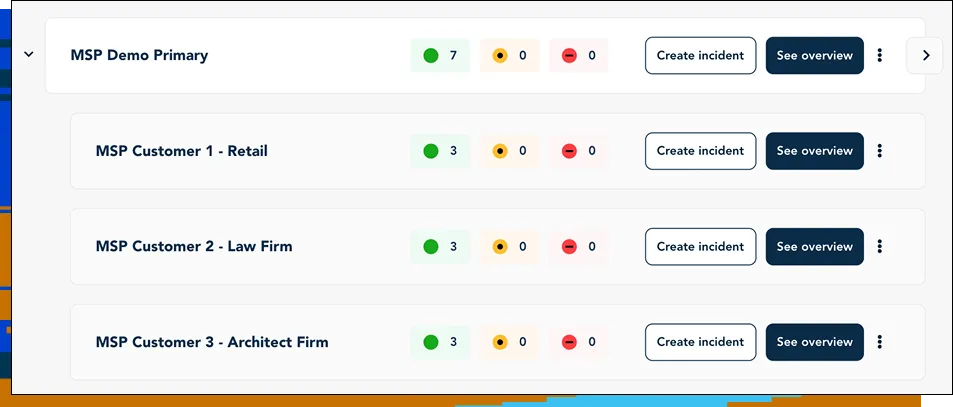
Everything starts on the Home page, which lists all your hubs. From here, you see every customer hub at a glance, each representing a dedicated status page per customer. This view gives MSPs full visibility without switching accounts or tools.
-
2. Creating Groups and Services
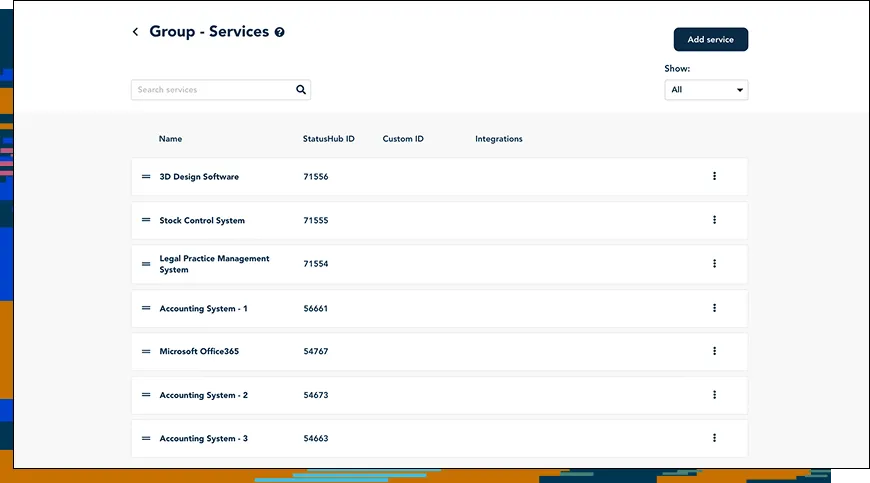
Next, in the Primary Hub, you structure all your services into clear groups. Later services can be shared across customers or assigned to individual environments, matching how MSPs manage a mix of shared and client-specific infrastructure or services.
This creates a clean, scalable foundation for incident communication.
-
3. Selecting Services for Each Customer
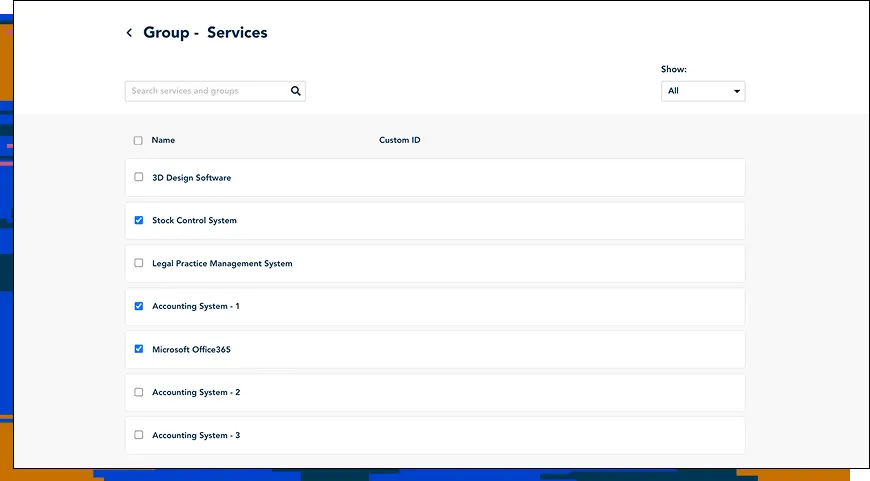
When setting up a customer hub, simply select only the services they use. For example, for “MSP Customer 1 - Retail”, select the shared services “Stock Control System” and “Microsoft Office 365”, and the individual service “Accounting System 1”.
This customer hub will now list only those services.
This creates personalized, accurate status pages for each customer, showing only their services. No irrelevant information, no confusion.
-
4. Update Service Status Once & Notify the Right Customers Automatically
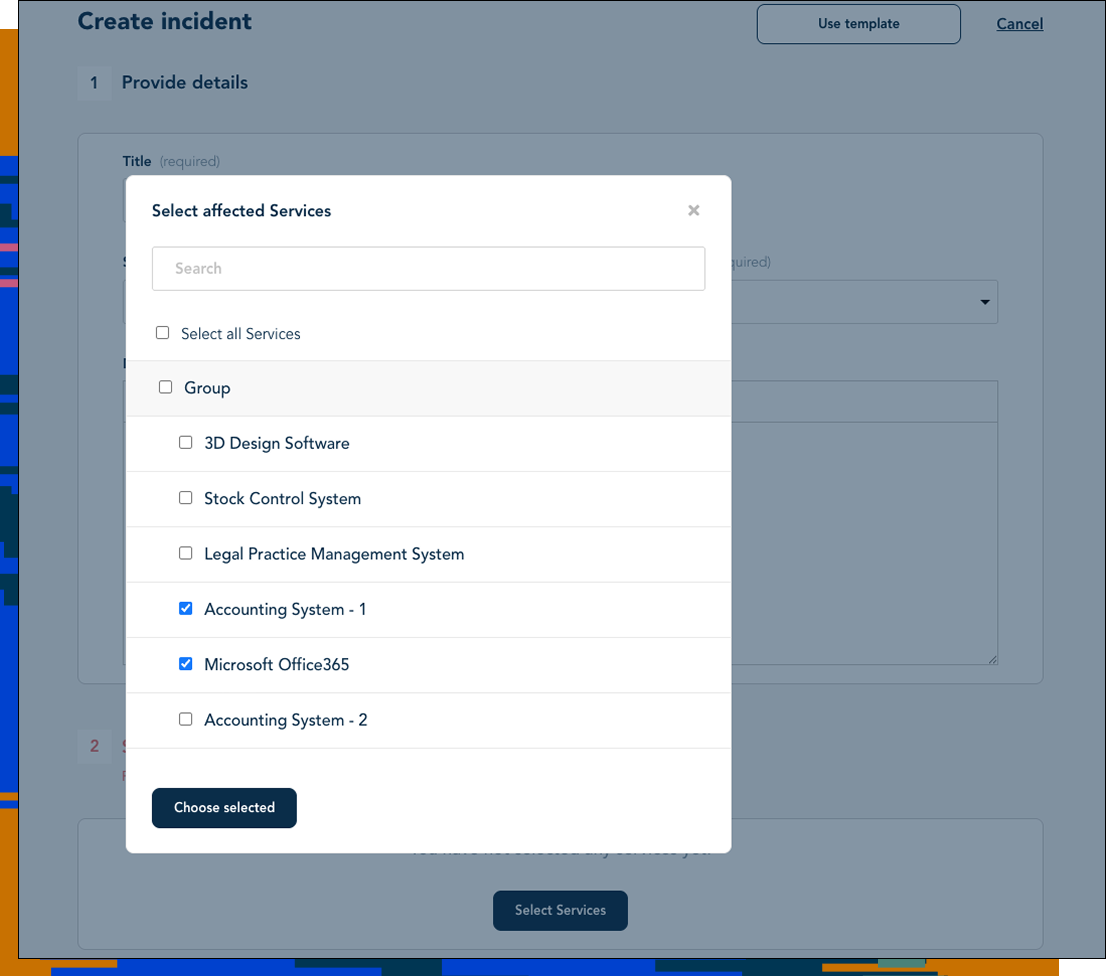
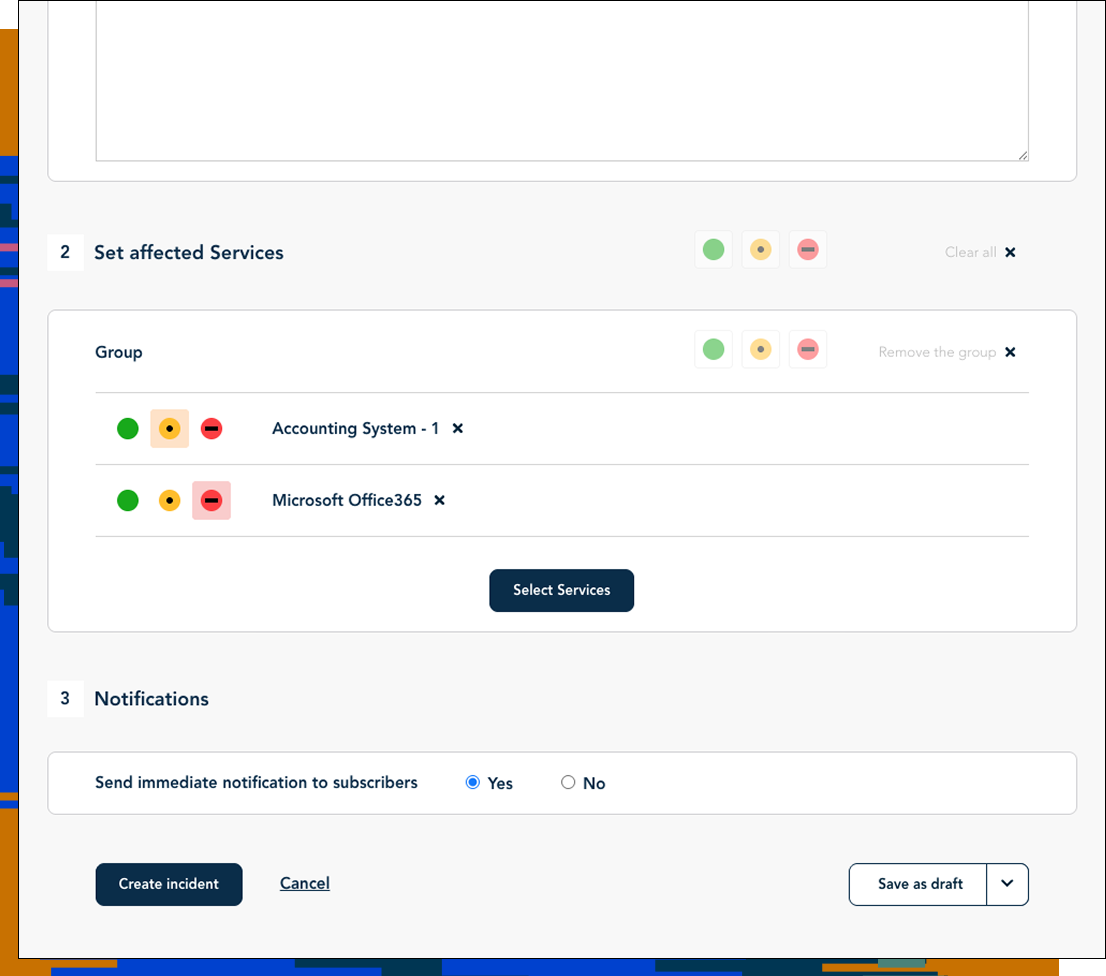
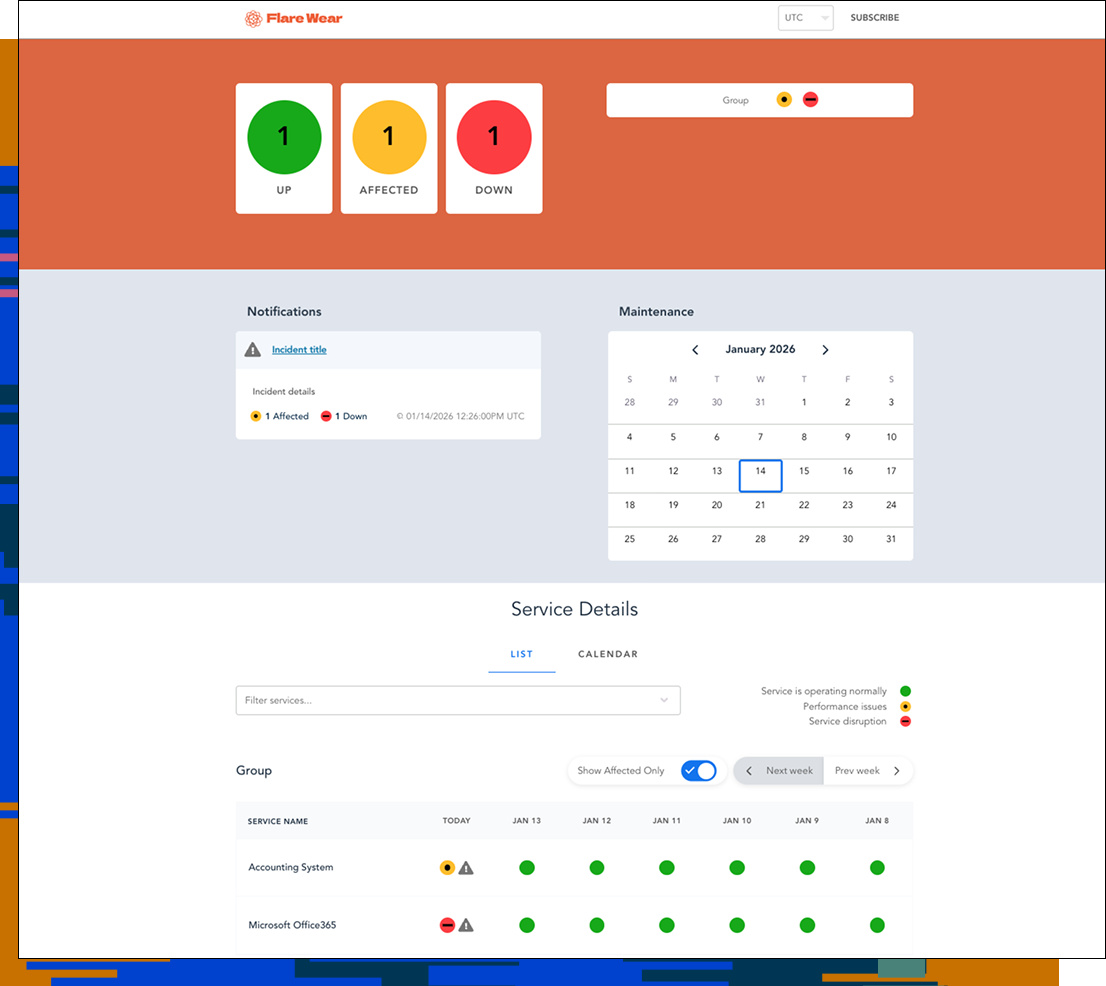
When an incident occurs, you create the event in the Primary Hub and choose the affected service. StatusHub automatically identifies which customer hubs depend on that service and updates only those pages in real time.
Once resolved, you close the incident from the primary hub. Every connected hub instantly updates.