
StatusHub System Status Page Tool for SMB
Communicate your uptime. Simply. Effectively.

The System Status Page for Small and Medium Businesses
-

Proactively communicate with customers
Let customers know about planned or unplanned downtime before they find out on their own.
-

Build and increase company reputation and trust
Improve customer relationships with transparent incident management processes.
-

Real-time IT incident communication
Keep your audience informed with real-time updates through a hosted status page. Your status page stays up, even if your servers are down, so you never lose connectivity with your end-users.
Key Features of StatusHub for Small and Medium Businesses
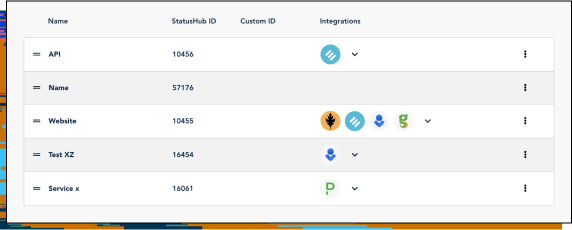
Create incidents manually or through integrations
Use the control panel to create incidents manually or connect your StatusHub website with monitoring integrations to automate the incident communication process as much as possible.
Create and schedule maintenance events
Private and Public status pages
Multiple notification channels that work for your customers






StatusHub Service Status Platform, designed for transparency, allows SMBs to create branded public and private status pages.
Frequently asked questions
- 1. Do small businesses need a status page?

Yes. Even small teams experience downtime, and customers expect transparency regardless of company size. A status page is especially valuable for small businesses with significant IT infrastructure, where core areas of the business rely on technology. It helps you:
- Reduce support tickets during outages;
- Prevent frustration and confusion;
- Build trust with your growing customer base;
- Look more reliable and professional.
- 2. Can I set up a status page without technical skills?

- 3. What features should status page software include?
- 4. How do I convince my team to use a status page?
- 5. Can I use a status page for scheduled maintenance notifications?
- 6. Can I use a status page for internal communication?
Check how StatusHub works for you and your end users!