

Q4 2025 Product Updates
New feature: Management API v3 keys section
In the StatusHub Control Panel, each Team Member can generate and manage up to 10 API keys for the StatusHub Management API.
Each key can be rotated independently if it's required for security reasons or removed if it's not needed anymore.
Depending on the use case and user needs, multiple scenarios can be utilized:
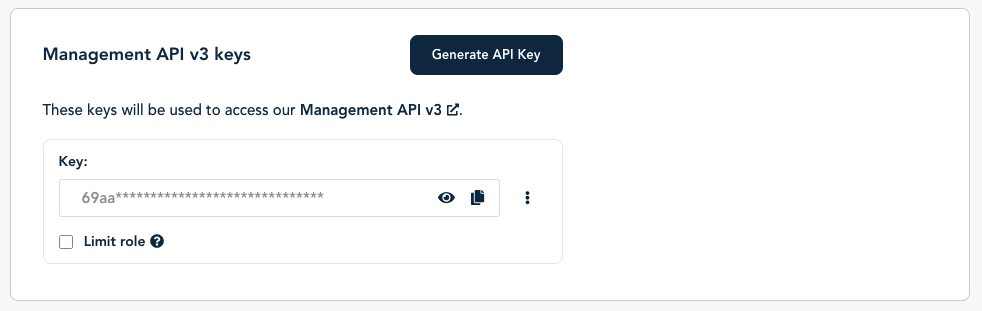
Basic setup with one key (when the user wants to interact with the StatusHub Management API in a single application or script)
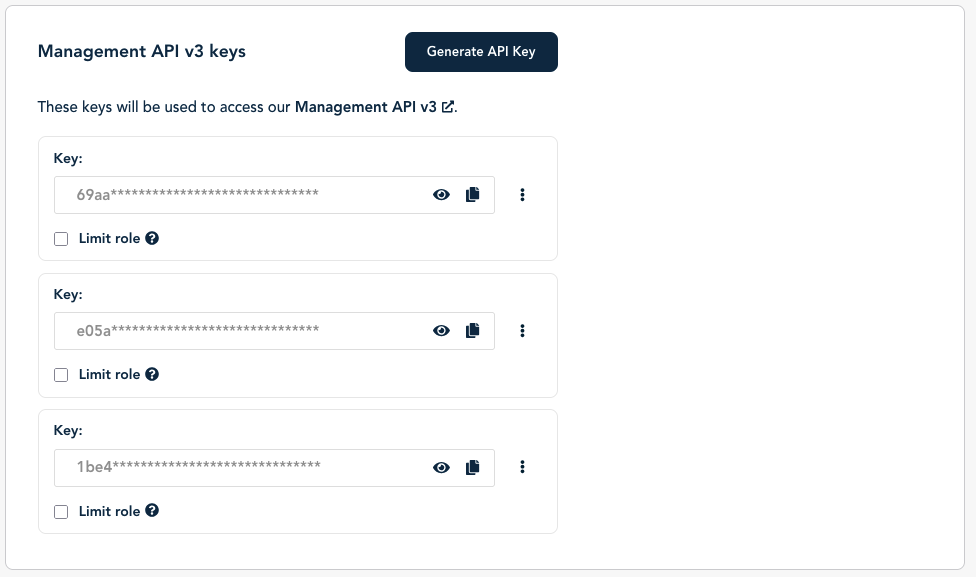
Multiple API keys (when the user plans on using the API keys in multiple applications or scripts)
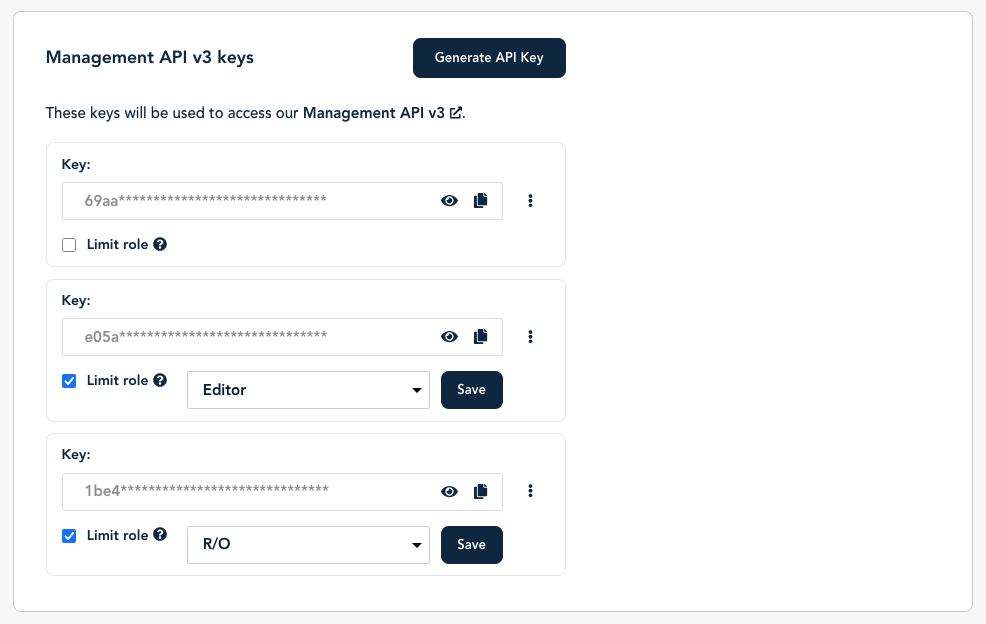
Multiple API keys with limit role (For advanced scenarios, where it might be necessary due to security reasons to have an API key which role is lower than the Team Member role.)
You can find more details in our knowledge base: Management API v3 keys overview.
Updates
Ability to resolve draft-only incidents.
Private Hubs now forbid search indexing by default using robots.txt.
Notification sending performance is improved in general, and additional work was completed for Hubs with a very high number of Connected Hubs.
StatusHub 2025: Year in Review
In 2025, we released API v3, improved the mobile control panel for on-the-go incident management, expanded language support to seven languages, and introduced Event View for exploring service history.
1. API v3: Fully Released
API v3 was one of the most significant technical initiatives for StatusHub in 2025. We introduced it in Q1 and completed the full release in Q3.
The new API eliminates legacy constraints and provides feature parity with our Control Panel, ensuring a consistent experience regardless of how you interact with StatusHub.
It introduces improved versioning, support for multiple API keys per user for improved security and access management, and comprehensive documentation built from OpenAPI specifications for reliable implementation.
Complete documentation for API v3 is available here: StatusHub API v3 Documentation (Redocly).
2. Improved Mobile Control Panel
In Q1, we launched mobile enhancements to the Control Panel, making it easier to manage incidents and maintenance events from a phone.
Key improvements included:
Larger buttons and touch targets optimized for finger use;
Hamburger menu navigation;
Responsive tabs and dropdowns to save screen space;
Full functionality for incident and maintenance operations.
These changes help teams respond quickly during outages, even when away from their desks.
3. Event View: A New Way to Explore Service History
In Q3, we introduced Event View, a new timeline-based way to review incident and maintenance history.
Event View allows you to:
Filter between incidents, maintenance, or all events in one timeline;
Navigate by year, month, or day to see event volumes for each time period at a glance;
Open specific timeframes for detailed review.
Event View complements the existing List and Calendar views and provides a more structured way to analyze history. It is especially helpful for compliance reporting and internal performance reviews.
4. German Language Support
In Q3, we added support for German, expanding our multilingual capabilities to seven languages: Danish, Spanish, French, Norwegian, Polish, Swedish, and German.
Multilingual support is available on all plans and helps teams communicate clearly with global audiences during incidents.
5. Improved Uptime Visualization
We enhanced uptime reporting in the Control Panel with the ability to zoom in on the uptime chart. This makes it easier to analyze short incidents that previously looked nearly identical on the chart.
The improved visualization makes it easier to see differences in uptime over time.
Additional 2025 Improvements
Throughout the year, we also released:
Customizable thresholds for event cards layout
Draft Incident Update Appending for more flexible incident management
Enhanced CSV Exports with service status data for events and templates
Restricted Analytics Access to limit dashboard visibility to owners only
Subscriber Quota Usage Notification
What’s Next
These updates reflect our commitment to making StatusHub more powerful, flexible, and easy to use for teams handling IT incident communication.
As always, your feedback guides our roadmap. If you have questions, ideas, or feature requests, please contact us.
Thank you for using StatusHub in 2025. We're looking forward to continuing to improve the platform in 2026.