

New integrations
PRTG integration
StatusHub now integrates with PRTG Network Monitor, making it easy to turn monitoring alerts into real-time incident updates.
When PRTG detects an outage or service issue, StatusHub can automatically create and update incidents on your status page. As services recover, incidents are automatically updated or resolved, helping keep end users informed without manual intervention. The integration also supports draft incidents and silent updates, giving you full control over how and when incidents are published.
To start, go to Hub Config, then Services and Integrations. You can also find a full setup guide in our knowledge base.
Automating incident creation means less manual work during outages. This helps your team share updates faster and focus on fixing the problem.
Splunk Observability cloud integration
We’ve also added a StatusHub integration for Splunk Observability Cloud.
By connecting Splunk to StatusHub, alerts generated by Splunk can automatically create and update incidents on your status page. Severity levels are mapped to StatusHub service statuses, ensuring customers and internal teams receive accurate status updates as incidents evolve. The integration also supports draft and silent mode incident updates.
To get started, go to Hub Config, then Services and Integrations. You can also read our full setup guide in the knowledge base.
With this integration, your incident updates are automated, so you don’t have to post updates by hand during an incident.
New features
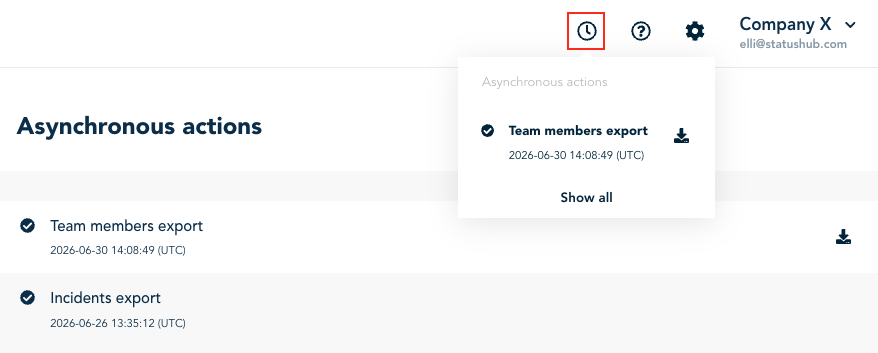
Asynchronous export for events and team members.
Large exports of events and team members are now processed asynchronously.
Instead of waiting for an export to complete before continuing your work, StatusHub now generates exports in the background. This makes exporting large datasets significantly more efficient while allowing you to continue using the platform without interruption.
Minimal Widget Per-service
Previously, StatusHub's Minimal Widget displayed the overall status of all services within a hub.
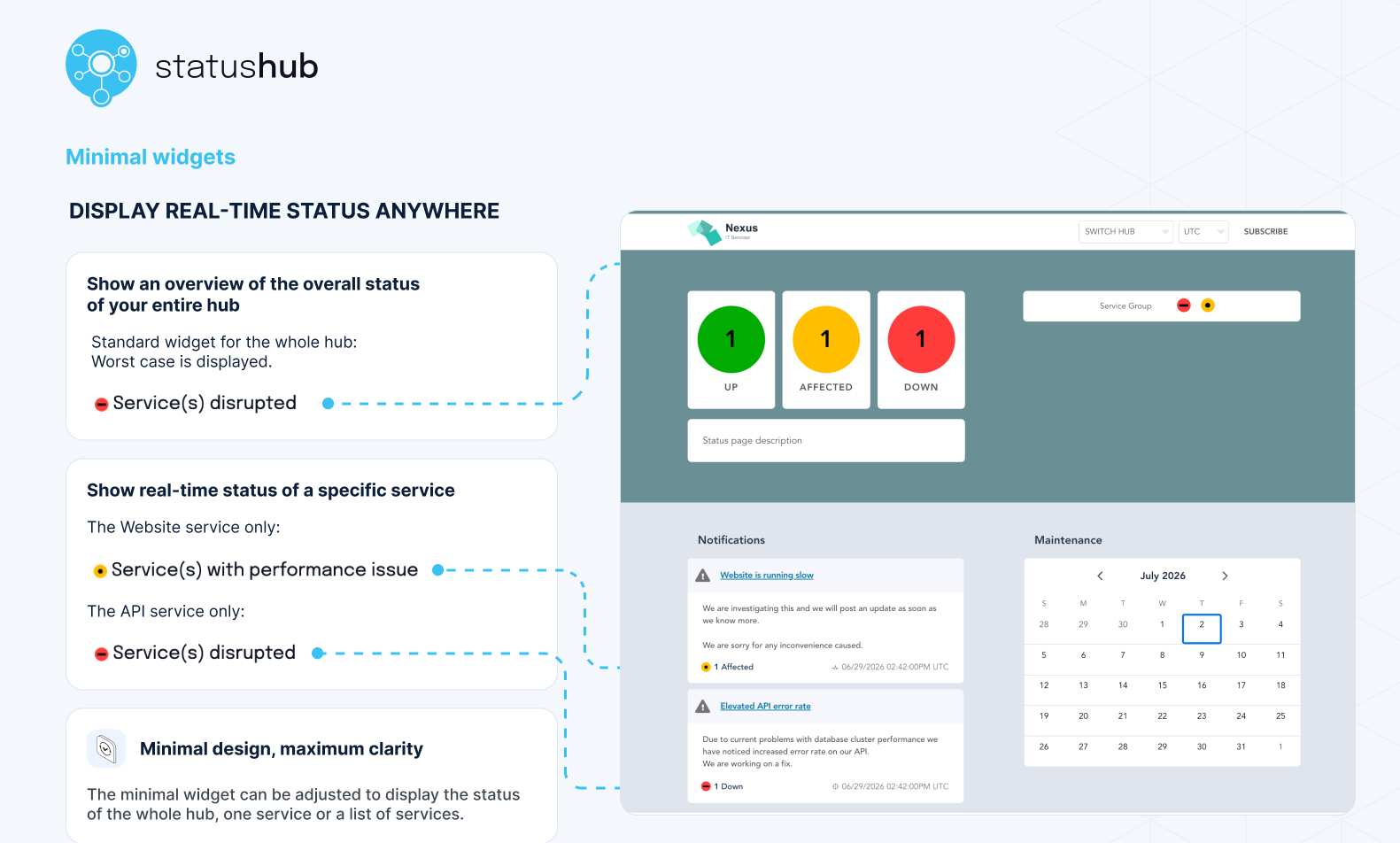
This quarter, we've added per-service filtering to the Minimal Widget.
You can now configure the widget to display the status of:
a single service, or
a selected group of services.
This makes it easier to embed focused status information where it's most relevant, whether that's a customer portal, an internal dashboard, or a product page.
Instead of displaying the status of an entire hub, you can now show the status of only the services that matter to a specific audience.
For setup examples and details, check out our helpdoc: Minimal Widget.
Status API Updates
In our previous product update, we announced that Status API is being tested with a small number of customers.
Improved Status API consistency
Before transitioning the Status API to the beta stage, we made several consistency improvements.
One example is how resource IDs are returned. Previously, maintenance IDs were returned as strings, while incident IDs were returned as integers. After the change, both maintenance and incident IDs are now returned consistently as strings.
New API rate limits
To improve platform stability and ensure fair usage, the Status API now has rate limiting. Please note, these may change in the future.
The current limits are:
Auth: 10 requests per 20 seconds
Data: 600 requests per 10 seconds
If you are interested in early access, get in touch with our support team.
CP1 Sunset Reminder
We're now displaying the CP1 sunset banner to every team member in the Control Panel.
As previously announced, the CP1 interface will reach end of life for EU customers at the end of July.
If you haven’t already, please make sure everyone on your team is using the new Control Panel link before the migration is finished.
If you have any questions or feedback, please contact us.